When does the trial start?
When you sign up, you will immediately gain access to all the amazing features our Premium plan offers with a 30-day free trial. This means you can explore and enjoy all the benefits of our paid features at no cost during the trial period FOR FREE.
How do I end the trial?
The trial period will automatically end after 30 days. You don't have to take any action to cancel it, and you will automatically be downgraded to the Free plan if you did not commit to a paid one during the trial by selecting one and adding your payment details. This ensures that you have ample time to try out the Premium plan and decide whether it's the right fit for you.
If you decide to stop using Toggl Track while on a free plan, your data will be automatically deleted after 6 months of inactivity. Please check our inactive account policy for more details.
Can I end the trial now and experience the Free plan?
If you'd like to terminate the trial, simply open the Billing view in the Admin console in the Toggl Track web by clicking on the "Subscription" button in the menu bar on the left side while logged into the web app.
Then click on the trhee-dotted menu button next to the app you want to cancel the trial for and choose "Cancel trial" from the drop-down menu:

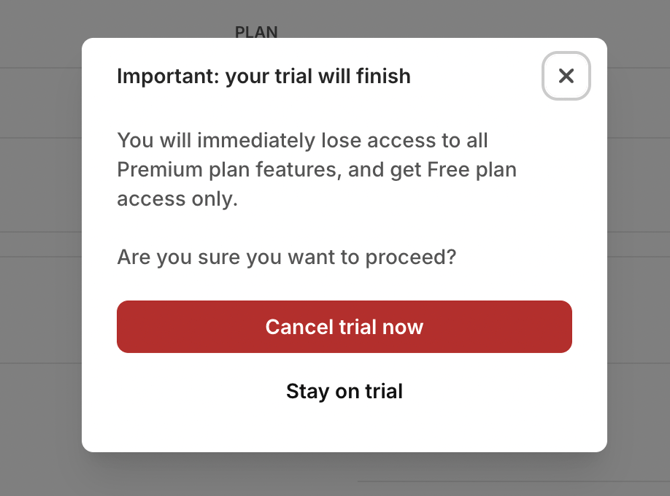
You will be asked to confirm this action or stay on the trial on the next step: