
Upgrading to a paid plan
Signing up for a paid plan and managing your subscription happens on the Subscription page (in the Toggl Track web app). You can access it anytime by clicking "Subscription" in the left-side menu.
- Click on ‘Commit to Premium’ on your Overview page, or choose a different plan from the All Plans page.
- Choose between Annual and Monthly billing.
- Choose the plan you wish to upgrade to.
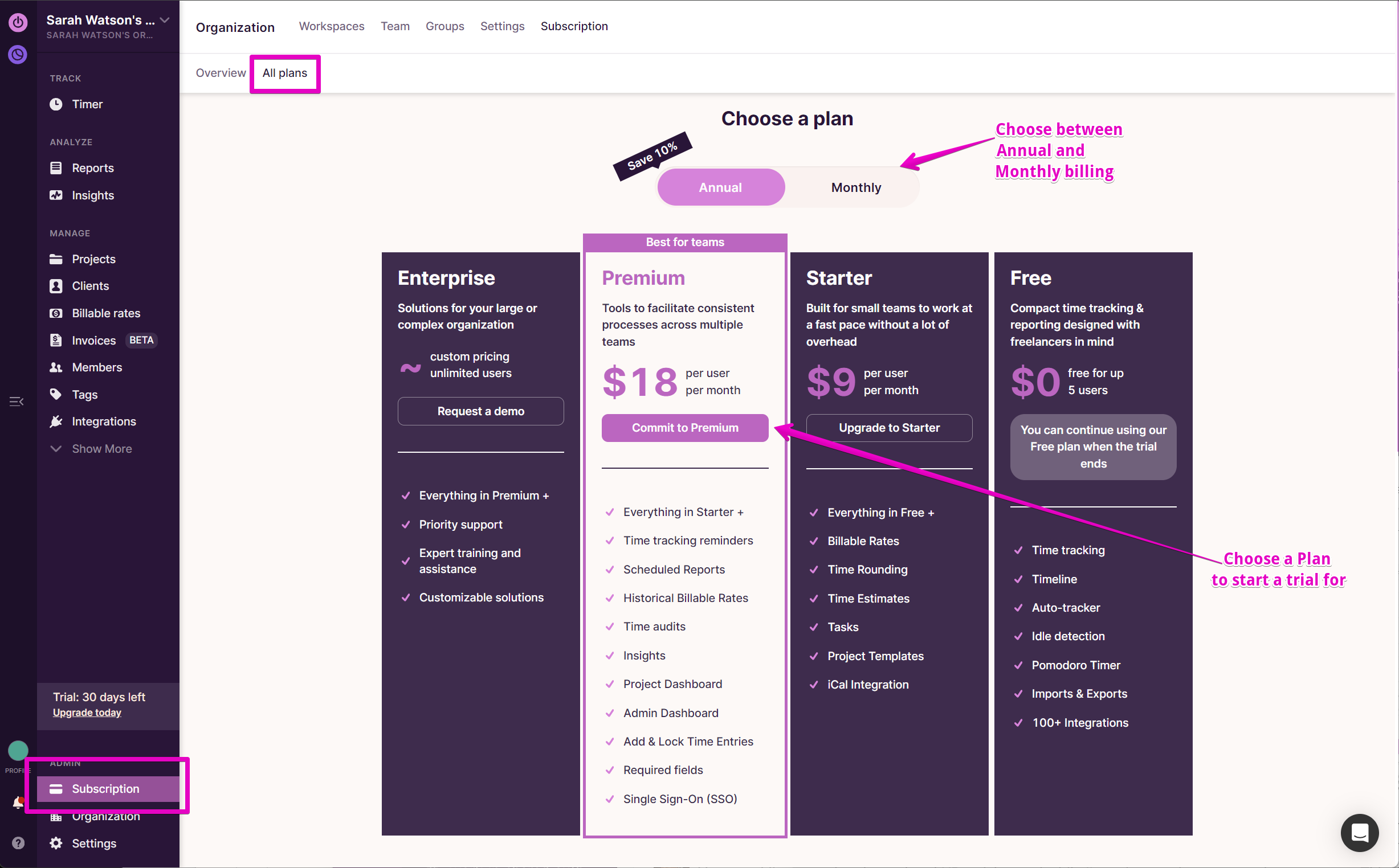
Check the Plan you selected and fill in the required Billing and Payment details on the next screen.
Here is a step-by-step guide
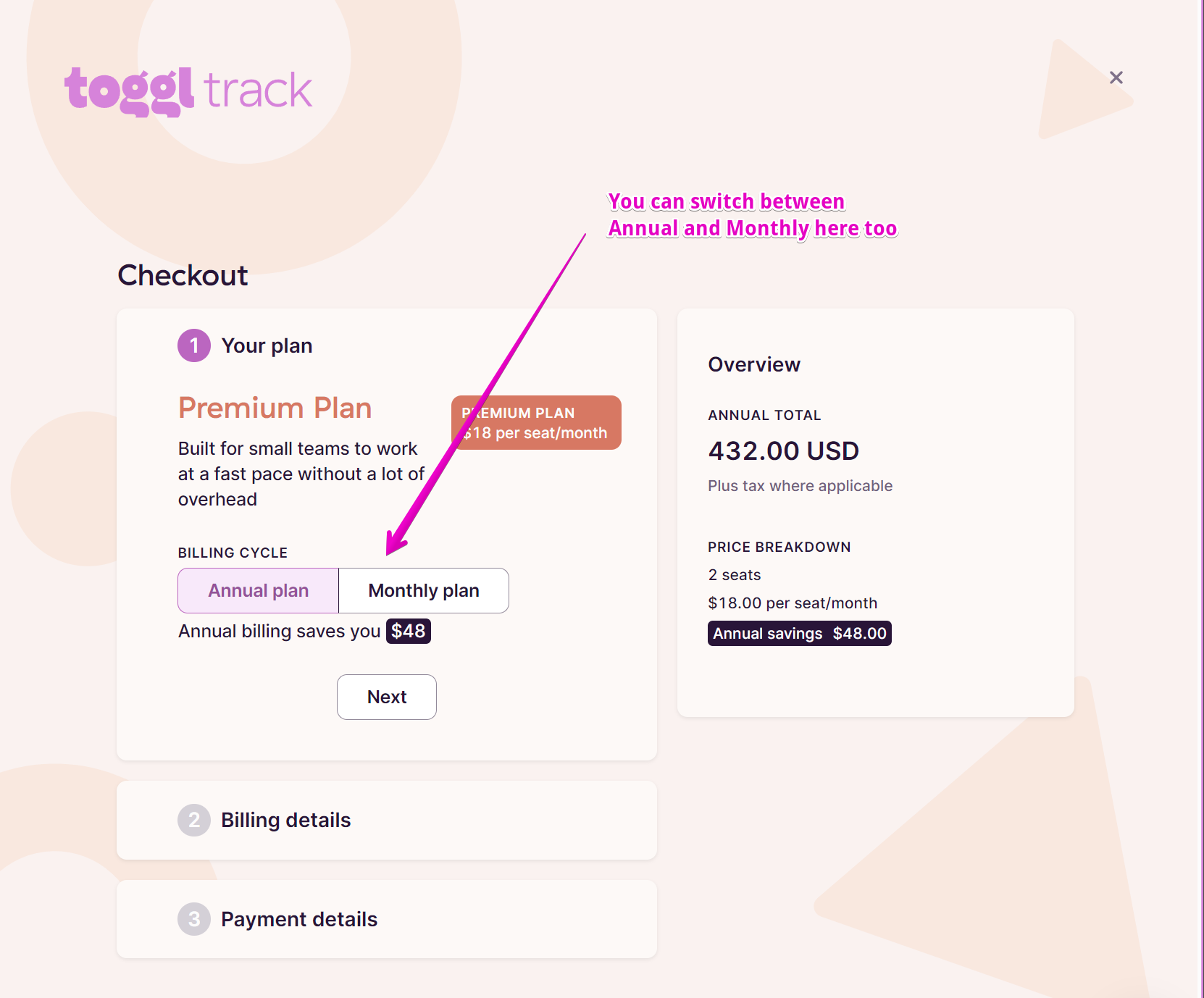
- Review your plan (annual or monthly) and click Next
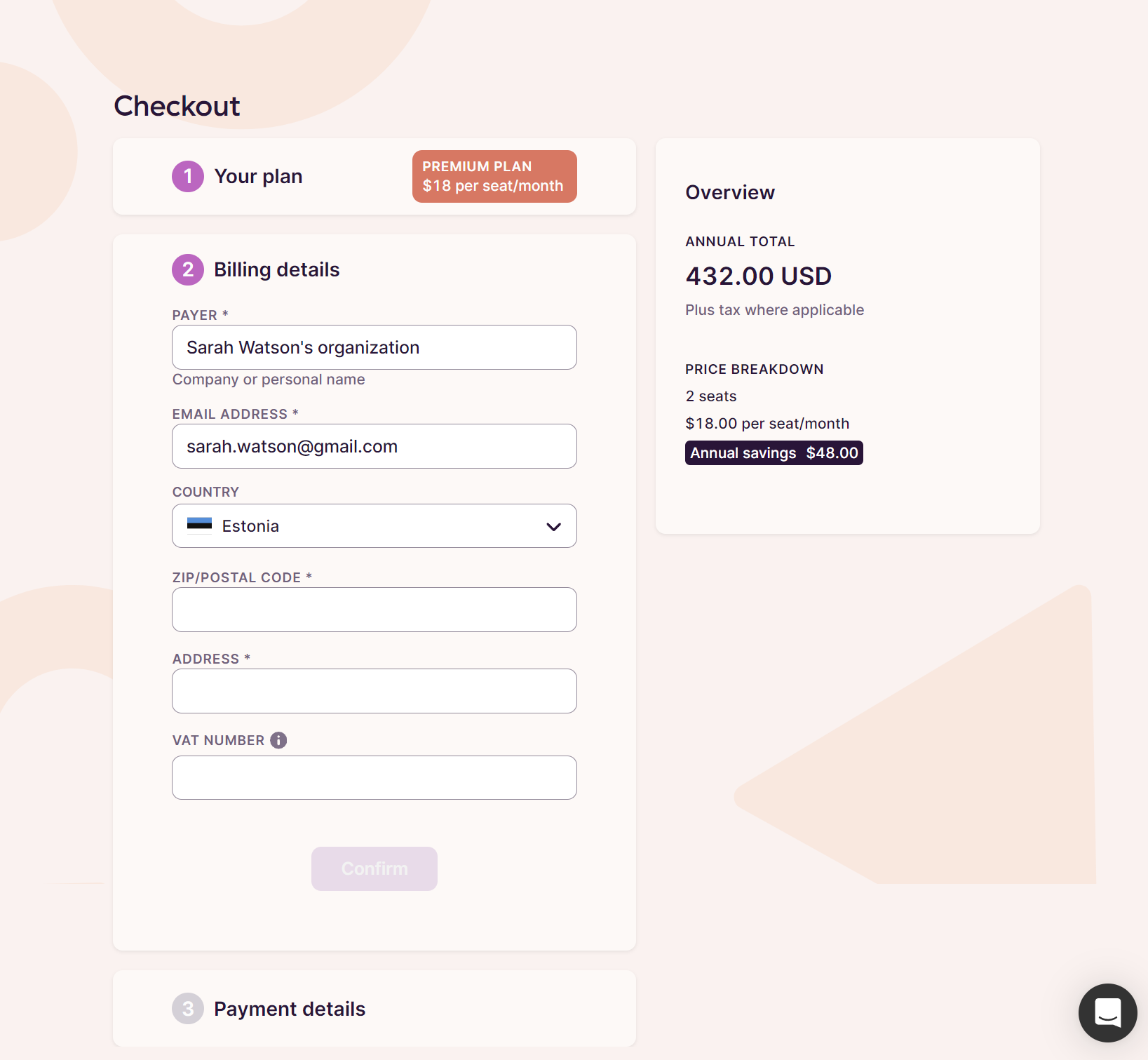
- Enter your billing details, email address (where we will send payment related emails and invoices) and your VAT (if required)
- Add in your payment details
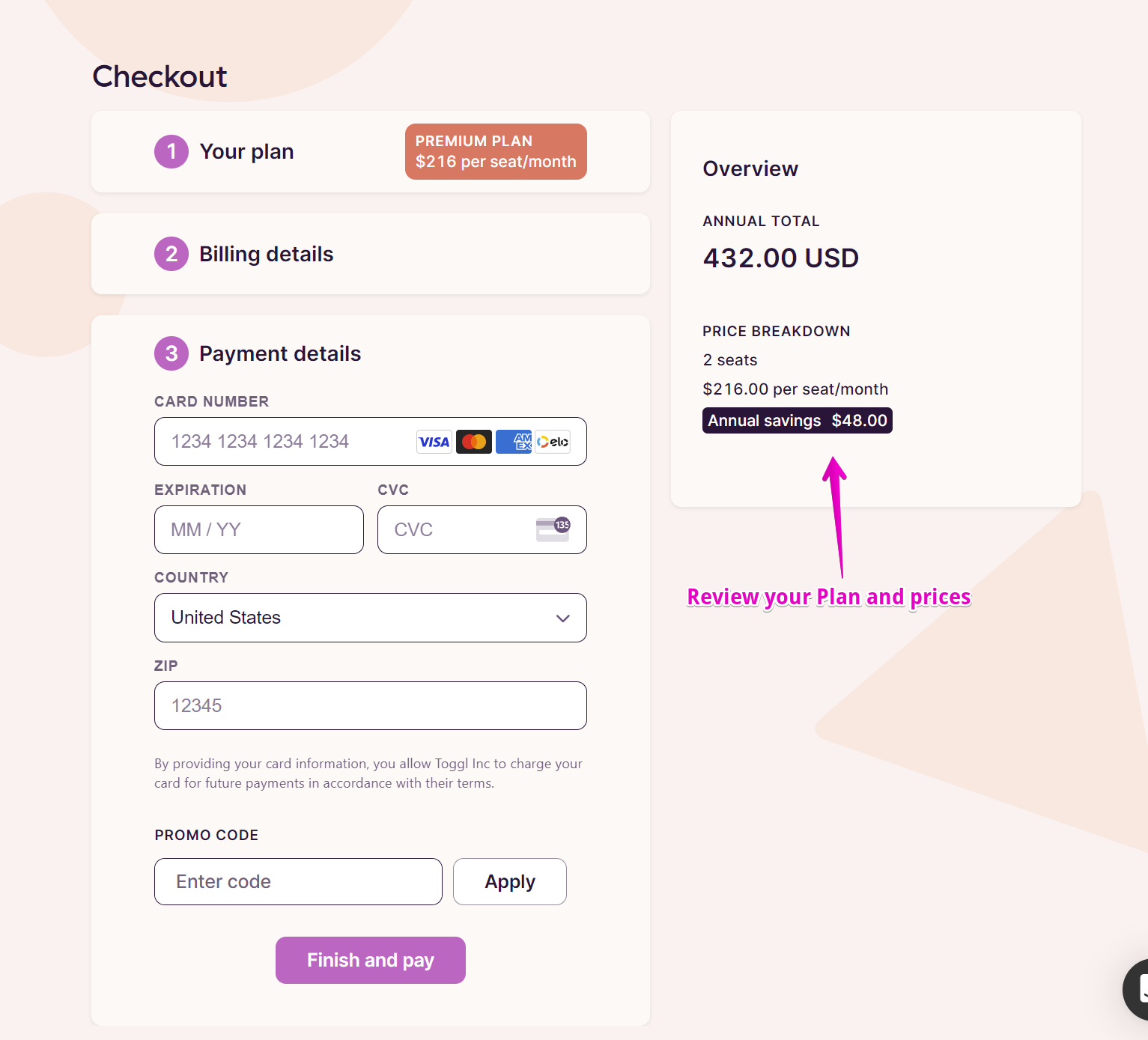
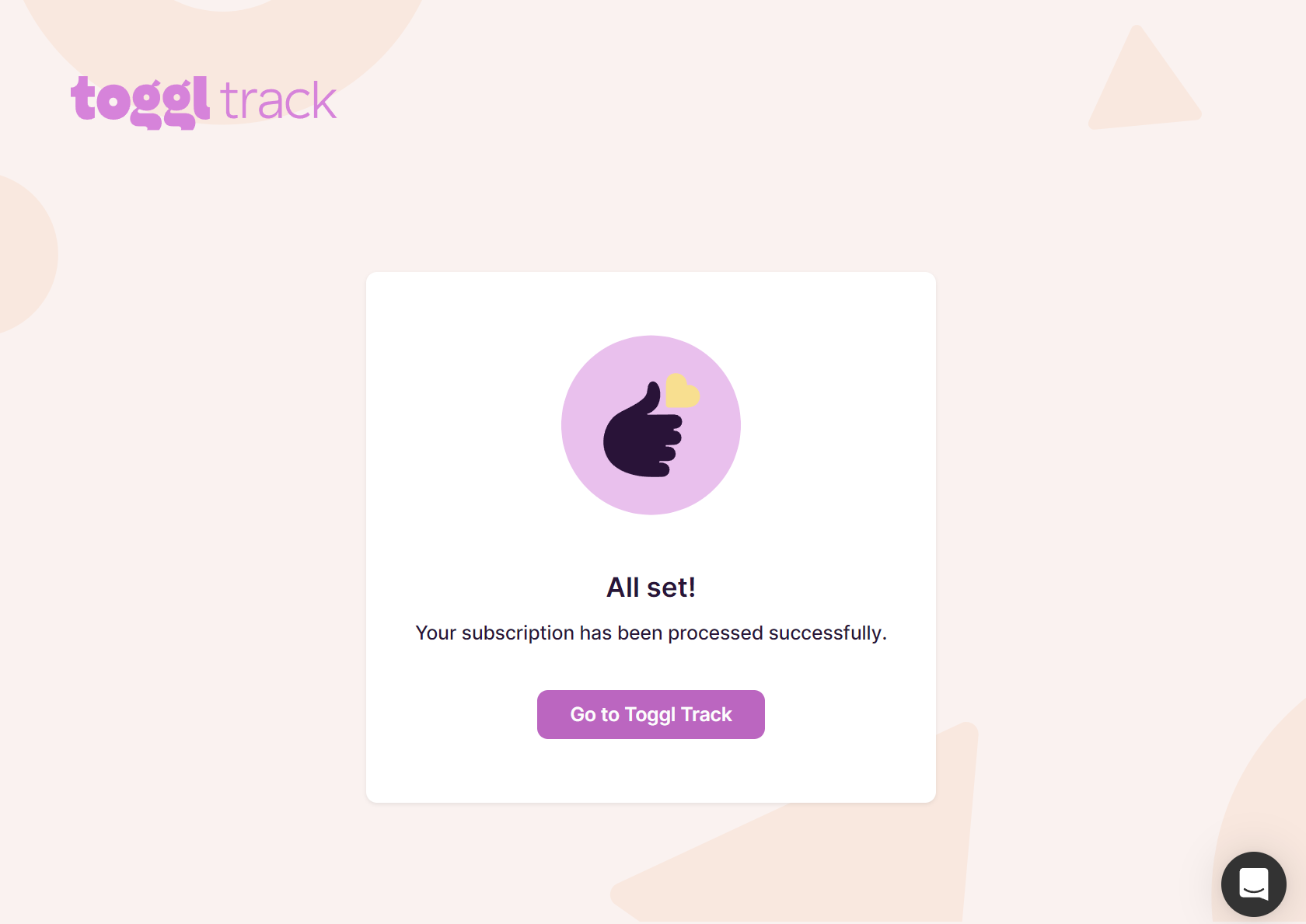
- Click Finish and Pay and you will be shown a confirmation
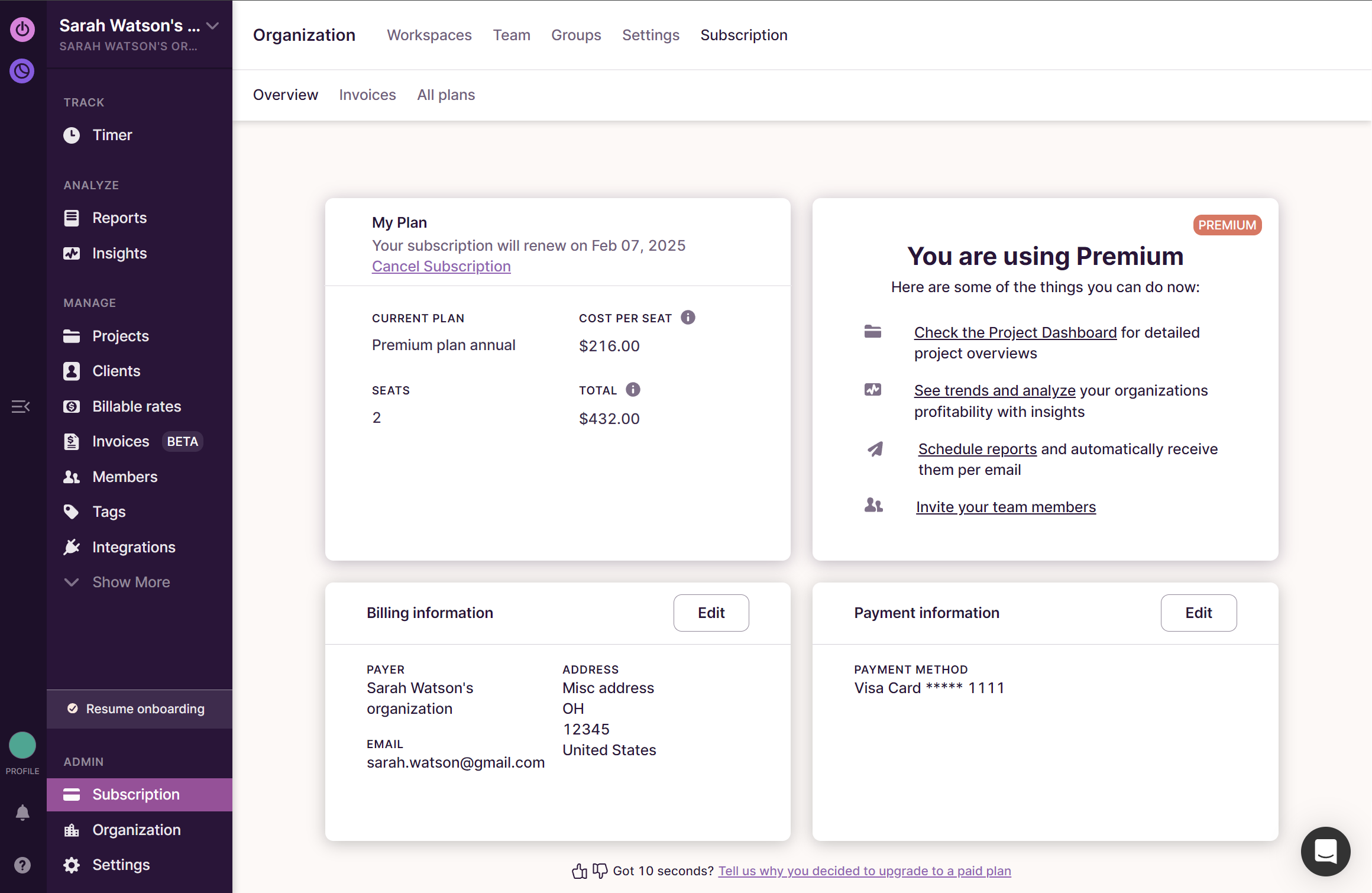
Once everything is set up, navigate back to Toggl Track, and you’ll see the summary of your subscription on the Overview page.
Regarding VAT - European customers only
- We charge VAT for all customers within the EU.
- If you have a valid VAT number, please add it to your billing information from your Subscription Overview page. If a valid VAT number is entered, we do not add VAT to your invoice.
- Your VAT number must include the 2-letter country code, for example - GB123456789.
- If your VAT number is getting rejected, please check it’s entered correctly, or that it’s active via here.
- A VAT number can be valid domestically but still fail validation for invoicing. For cross-border transactions within the EU, the number must be registered for intra-EU transactions in the VIES system. This is a legal requirement and cannot be worked around on our end. If your number is not VIES-registered, check with your tax authority, as some businesses need to register for intra-EU VAT separately from their domestic VAT registration. A Spanish freelancer's NIF, for example, cannot be added unless it is registered in VIES/ROI.
- We can not add a VAT number to a paid invoice retroactively.
- Once a valid, VIES-registered VAT number is added, it will appear on all future invoices. You can add it yourself later or contact us to add it for you.
Updated on: 07/24/2026
Thank you!