
Recurring Projects
Projects can have their "Project Time Estimate", "Task Time Estimates" and "Fixed Fee" (Premium plan feature) reset based on the schedule of your choice with Recurring Projects.
This is a Starter plan feature.
How to set up a Recurrence
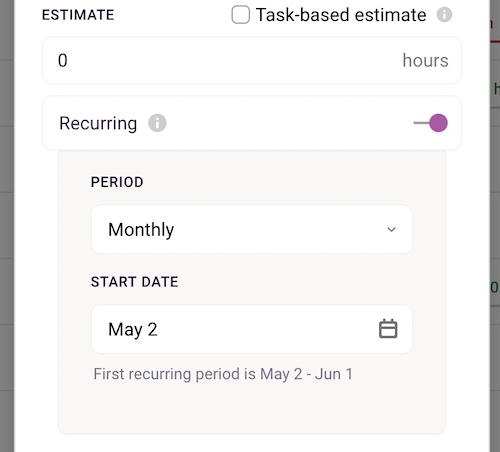
Recurrences can be set up while creating a new project or editing an existing one. Enable the switch next to Recurring and under it choose the recurring period and date when you wish to start the recurrences from. If you set a Project End Date, the recurrences will end on that date automatically.
You can select a recurring period that is Weekly, Biweekly (2 weeks), Monthly, Quarterly (3-months), or Yearly.
How quarterly periods are calculated
When you set a project to recur Quarterly, the period start date is anchored to the project's own timeframe start date — not to calendar quarters. For example, a project starting on February 17 will have quarterly periods running Feb 17 – May 16, then May 17 – Aug 16, and so on.
Note for projects created before March 1, 2026: Older projects use a legacy calculation that anchors quarterly periods to calendar quarter months (January, April, July, October), while preserving the day of the month from the project's start date. For example, a project started on February 17, 2022 would show periods of Jan 17–Apr 16, Apr 17–Jul 16, etc. If you'd prefer your project to use the updated calculation, you'll need to recreate it.
Viewing Recurrences
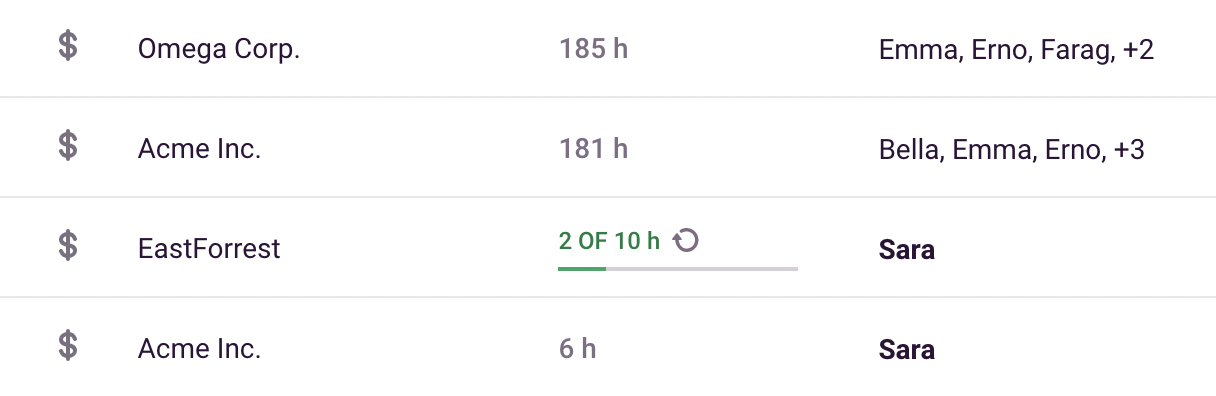
On the Projects page, Projects with recurrences will be shown with a recurring icon next to them.
Reporting
The Tasks and Dashboard tab inside the Project will show you data from the current period by default, but you can scroll to see previous periods as well using the date selector at the top. The Project List and Tasks tab will still only show you data from the current period.
You can always view combined data from across periods under Reports.
Please note:
- Recurrences do not create a new instance of the same project, it simply resets the estimates or fixed fee based on the schedule.
- The Alerts feature will work with recurrences, and the email notification will mention that the alert is for a recurring project.
- When viewing a recurring project over multiple periods in Reports, the fixed fee is aggregated (multiplied by the number of periods). To see the per-period fee, use the Project Dashboard or set the report date range to match one period.
Updated on: 06/16/2026
Thank you!