
How do I hide projects from my team?
If you need to restrict who can see specific projects in your workspace, you can use Private Projects. By marking a project as private, it becomes visible only to the people you explicitly grant access to, effectively "hiding" it from everyone else.
This is particularly useful for large teams where users only need to see the projects relevant to their specific tasks.
How to make a project private
To hide a project from the general team and limit its visibility, follow these steps:
- Navigate to the Projects page in the sidebar.
- Find the project you want to modify.
- Use the three-dot control to edit
- Make the Project Private on the modal
- Save
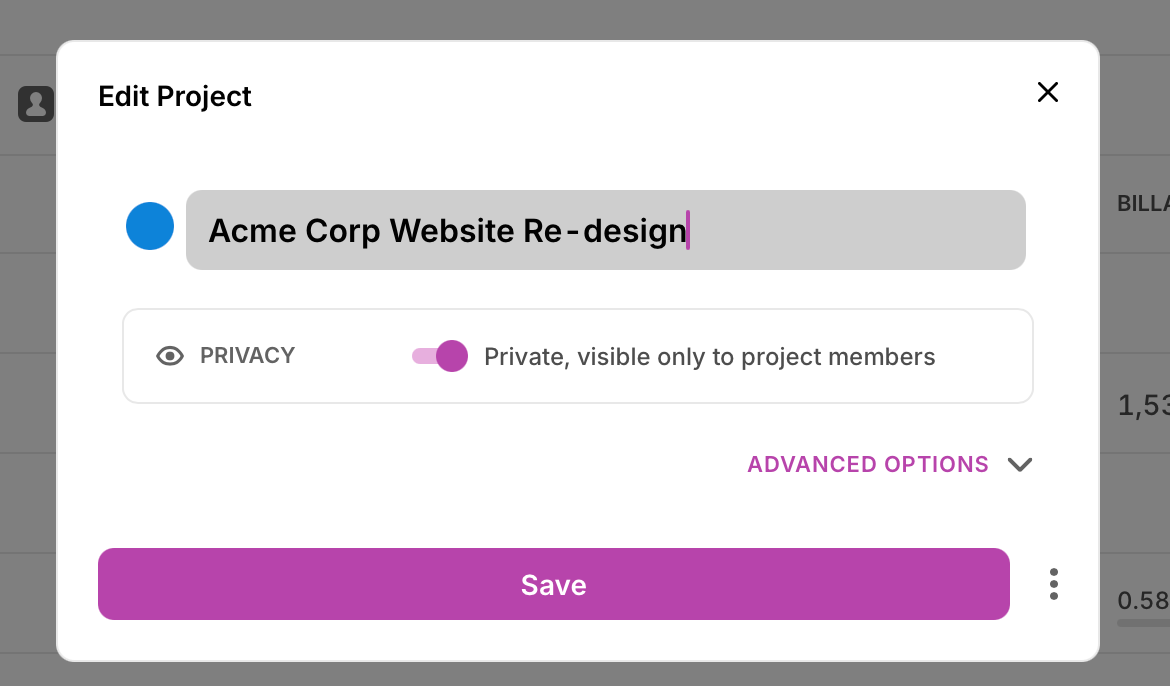
What happens when a project is private?
Once a project is marked as private, the following rules apply:
- Visibility: The project will be hidden from the project list for any user who is not a project member.
- Time Tracking: Users who do not have access to the project will not be able to track time against it or see it in their project dropdowns. This includes Admins.
- Reporting: Only team members with the correct permissions will see data related to that project in reports.
Warning: Please note that changing a project's status to private will retroactively restrict access. Any existing time entries associated with that project will still be visible to the user who created them, but they will no longer be able to edit or view the project details unless they are granted access.
Managing Project Access
You can update who has access to your private projects at any time:
- Click the 3-dot control
- Click Add Members
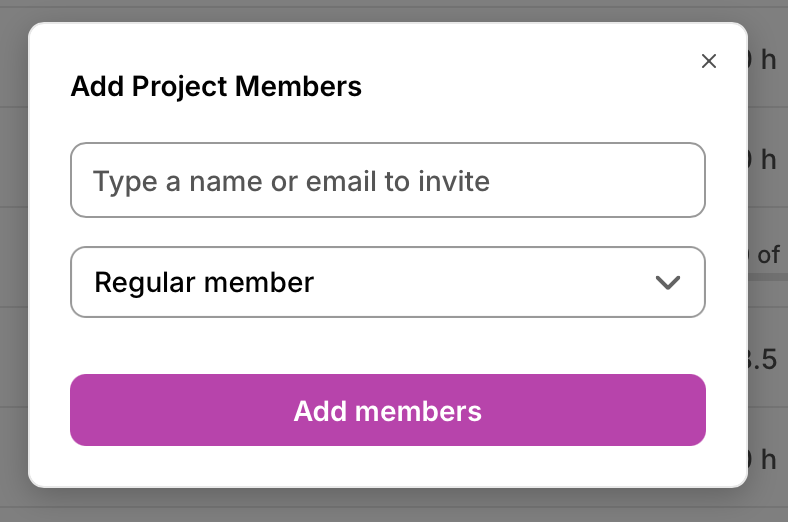
- Select who you want to add and what access they should add. You can add an entire Team as well.
You can also edit Project members by opening the Project and navigating to the Team tab.
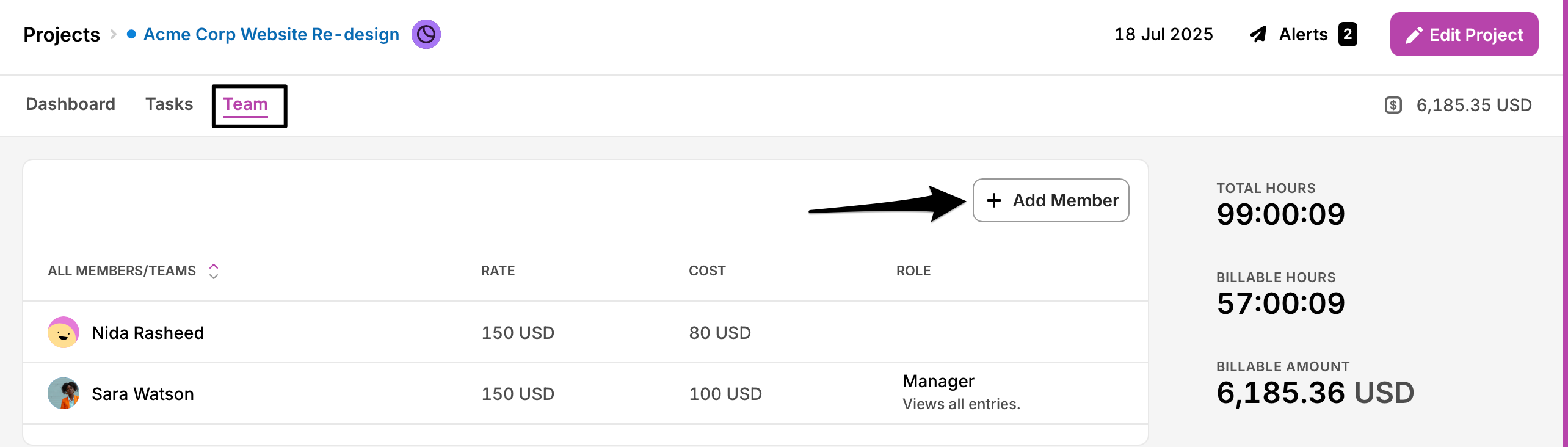
By using private projects, you can keep your workspace clutter-free and ensure that your team members only focus on the work that is relevant to them.
Updated on: 06/16/2026
Thank you!