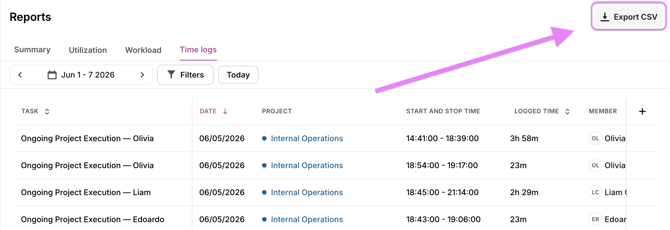
Time Entries Table
In the table, you can get an in-depth overview every time entry in Toggl 2.0, apply filters and adjust the time period.
Sorting
You can sort entries by clicking on any column header.
Filtering
You can modify filters by clicking on the filter selector.
Customizing Columns
You can move columns around and hide or unhide columns.
Exporting
You can export the Time Logs report as CSV. Click the Export button at the top of the report and choose your preferred format.